
I’ve seen a ton of questions come my way recently asking about the different icons at the top of my screen. I use a handful of really great apps to help me run my mixing business so I thought I’d share a list of my favorites with you here on the blog.
None of these will directly help you EQ a kick drum or place a vocal properly in a mix, but I’m sure you’ll find at least a few of them will help you get more done quickly. Enjoy!
1. f.lux
f.lux’s website describes the app as “software to make your life better”. This is exactly what it does! Here’s an excerpt:
“f.lux makes your computer screen look like the room you’re in, all the time. When the sun sets, it makes your computer look like your indoor lights. In the morning, it makes things look like sunlight again.
Tell f.lux what kind of lighting you have, and where you live. Then forget about it. f.lux will do the rest, automatically.”
*I have to thank my friend Jake Antelis for the hook up on this one! Thanks, Jake!
2. Audreio
Easily check your mixes live on your mobile device or tablet without having to bounce or transfer files. This has become an integral part of my mixing process.
Nothing makes me happier than finishing a project with a happy client where the money was handled well and the music sounds great. Next to that, nothing makes me happier than reaching that end goal quickly and efficiently. Slate Digital’s Batch Commander plays a huge role in making that happen! Try the demo and I promise you won’t be disappointed.
Don’t forget to download the mobile app! Especially if you record yourself a lot. 😉
4. Wunderlist
This is my go-to app for managing projects. From grocery lists and family goals to organizing my business and mix revisions, Wunderlist can help you keep your life in sync.
5. eXtra Voice Recorder
I don’t know about you, but I type sloppy. On top of that, I’m pretty particular about grammar. #badcombination
eXtra Voice Recorder makes it easy to record voice memos and then drag and drop them into an email response. I love answering emails this way. 1. Because it’s more personal and 2. I don’t have to re-read my email 100 times to make sure my spelling and grammar are in line. Lol!
6. Nicecast
Want to send out a 320 kbps quality stream directly out of your DAW? Nicecast is for you! I’ll partner this app with GoTo Meeting or Skype to work through mix revisions with my clients if the first couple of revisions don’t do it for them. This has saved my butt more than once. It also makes the client feel warm and fuzzy to be a part of taking their baby to the finish line. #winning
7. Stereomonoizer
If you mix records (as a hobby or for a living) and you value your time, Stereomonoizer is a must have app. This beauty will automatically analyze your audio files, determine their stereo content and convert to the correct format. #nobrainer
8. Grammarly
Let’s face it, not every email can be returned with a voice memo. This is where Grammarly comes in. Not only has this app helped me to send more professional emails, but I’ve also learned a ton! From fixing commas and other punctuation to redundant words or phrases, Grammarly makes you a better writer. Period.
*Don’t forget to install the extension for your browser of choice. I’m writing this blog post in WordPress using Google Chrome and everything I type is being analyzed by Grammarly for real-time correction suggestions. You’re welcome!
9. Quiztones
Created by my good friend, Dan, Quiztones will help train your ears to identify frequencies more easily. Don’t fool yourself, this is harder than it seems. Don’t believe me? Give it a shot and be humbled. Lol
10. Alfred
Noah Kagan says it best, Alfred is like Spotlight on steroids! The built-in shortcuts will save you a ridiculous amount of time.
11. Spark Mail App
Hands down, my favorite email app. I’ve tried them all and I can assure you that Spark wins by offering just about every function you could imagine. Updates are frequent and bugs are few and far between.
12. Better Touch Tool
Thanks to my friend Bill Cammack, I can perform macros from my trackpad. In short, I have this app set up to prevent me from having to lift my right hand off of my trackpad to perform keyboard shortcuts. Things like, breaking and muting a region or deleting clips in Pro Tools can all be done with taps and swipes from my trackpad.
13. Screenflow
From making tutorials and premium training courses to private videos to help instruct my assistants, Screenflow gets the job done. No need to be a professional video editor with this app. With a couple of clicks (and hopefully not too many takes) you’ll have your very own video recordings to share with the world.
14. Call Recorder
Record Skype or FaceTime calls with a click of a button. This can be great for recording a client meeting. Especially for when you forget to take notes.
15. Dropbox
I know, I know! You already know about Dropbox, but I wanted to mention it just in case you weren’t aware that you get 1TB for only $9.99/month. Don’t be cheap… Upgrade your free account and take your business seriously. 😉
Storage alternatives worth mentioning: Gobbler, Box, and Google Drive.
Have something to add? Let’s help each other! Share it with us in the comments below.
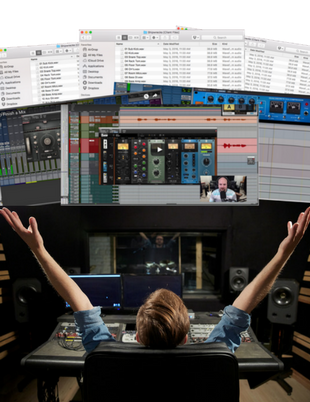
Make Your Next Mix Your Best Mix with The VIP Mix Training Bundle...
($27 Free Today)
Download my exact mix template, resume building multitracks from multiple genres, reverb impulse response libraries, and more. All to help you find the right path to better mixes.
The Mix Academy is an exclusive membership built for aspiring mixing engineers.
30 day trial - Just $1 and access to the following:
- Monthly multitracks to improve your mixes and build your resume
- Private community to get your questions answered
- Exclusive access to tutorials, bonus downloads, and more!
Great list, thanks David!
Thanks, Brad!
Thanks for sharing!!
Totally my pleasure, Dan! Thanks for checking it out!
Gobbler ? TrainYourEars? Capo ? Join.me Pro or Enterprise ?
Great additions. I’ve had my issues with Gobbler, but I mentioned that one below Dropbox. 😉 As for TrainYourEars, I prefer my buddy’s app called Quiztones. I’ll have to check out Capo! Seems awesome! Thanks for sharing, Chasm!
What’s a screen flow alternative for windows?
Hey William, I hope you’re doing well! Camtasia is a popular option for Windows. Also, the free QuickTime Player has a pretty sweet screen capture feature.
I hope that helps!
David
William, I have had good success with FFSplit. It’s free and detailed, kinda has a learning curve, but it works.
You can actually clear the ram without an app. You just have to open the terminal app which is in the Utilities > Terminal.app. Once it’s up just type ‘sudo purge’ and hit enter. Just type in your password and hit enter once more and it will free up ram that hasn’t been released. I actually keep a root terminal just for this to free ram with just a few keys. It’s a great tool.
Nice! Thanks for sharing, Aaron!
Hi David,
I appreciate the great content you consistently send out.
Other “productivity apps” that I use with Evernote are Scannable and IFTTT/Do.
Take care.
Thanks, Jeff! I’ve used Evernote. Great app!
Thanks for the great article, David.
I personally would add audiofile calc (iOS only, as far as I know.) Great for quickly calculating all kinds of audio related stuff like delay times, note to frequency and a ton more.
Three keys to success: workflow, workflow, workflow. Picked up a couple I had not come across. Thanks for the list!
Few arrows from my Mac quiver:
Multi-monitor multi-Desktop application window management must have:
https://cordlessdog.com/stay/
Window sizing:
https://manytricks.com/moom/
Application start sequence management:
http://appledoc.gentlebytes.com/startupizer/
Task management alternative:
http://kanbana.com
Make Launchpad actually useful:
http://launchpadmanager.com